By Reactions
Reaction-based translation is a simple and intuitive way for users to translate individual messages on demand.
🎯 How to Use
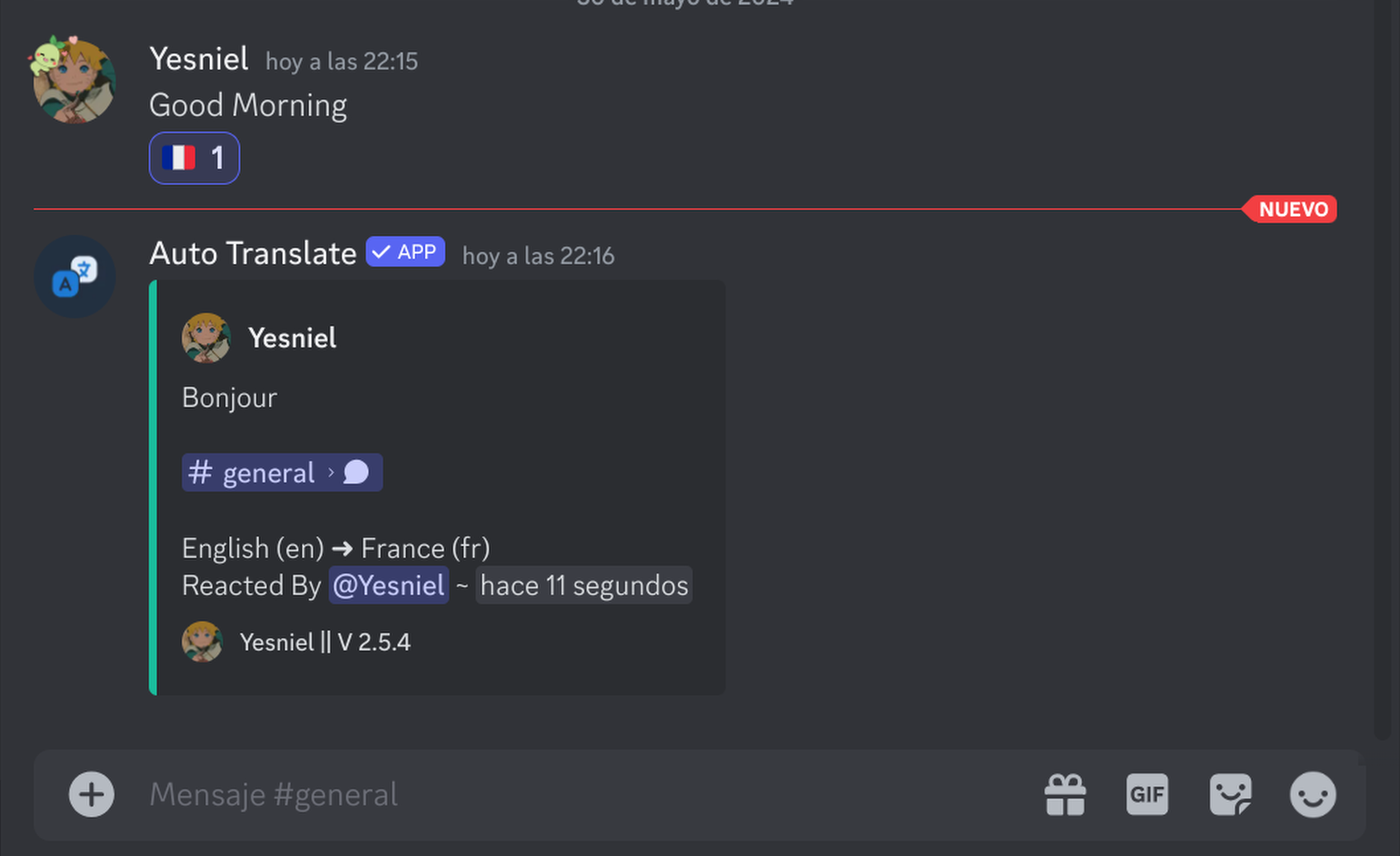
Simply "react" to any message with a flag emoji, and the bot will reply with a translation in that language.
Basic Steps:
- Find a message you want to translate.
- Click the "Add Reaction" button.
- Select a flag emoji (e.g., for Spanish, for French).
- The bot will send a private or public translation (depending on settings).
🚀 Configuration
You can customize how reaction translations behave on your server.
Video Guide: Reaction translation
Demo Live
💡 Best Practices
- Enable for All - Reaction translation is usually safe to enable server-wide as it only triggers when someone intentionally wants a translation.
- Tutorial - Pin a message in your general channel explaining how to use reactions for new members.
🔧 Troubleshooting
- Bot not reacting? Ensure it has the
Add ReactionsandExternal Emojispermissions. - No translation appeared? Check if the language is supported in our Supported Languages list.
Tip: You can also use Flag Translation as a faster alternative for
your own messages!