By Flag in Message
Flag-based translation allows you to translate your own messages as you send them, simply by including a flag emoji.
🎯 Quick Usage
When sending a message, include a flag emoji at the beginning or end:
Hello everyone, how are you today?
The bot will instantly detect the Spanish flag and provide a translation in Spanish.
Syntax Options:
- Flag + Text: put the flag emoji first, then your message (e.g. then
Hello!) - Text + Flag: your message first, then the flag emoji at the end
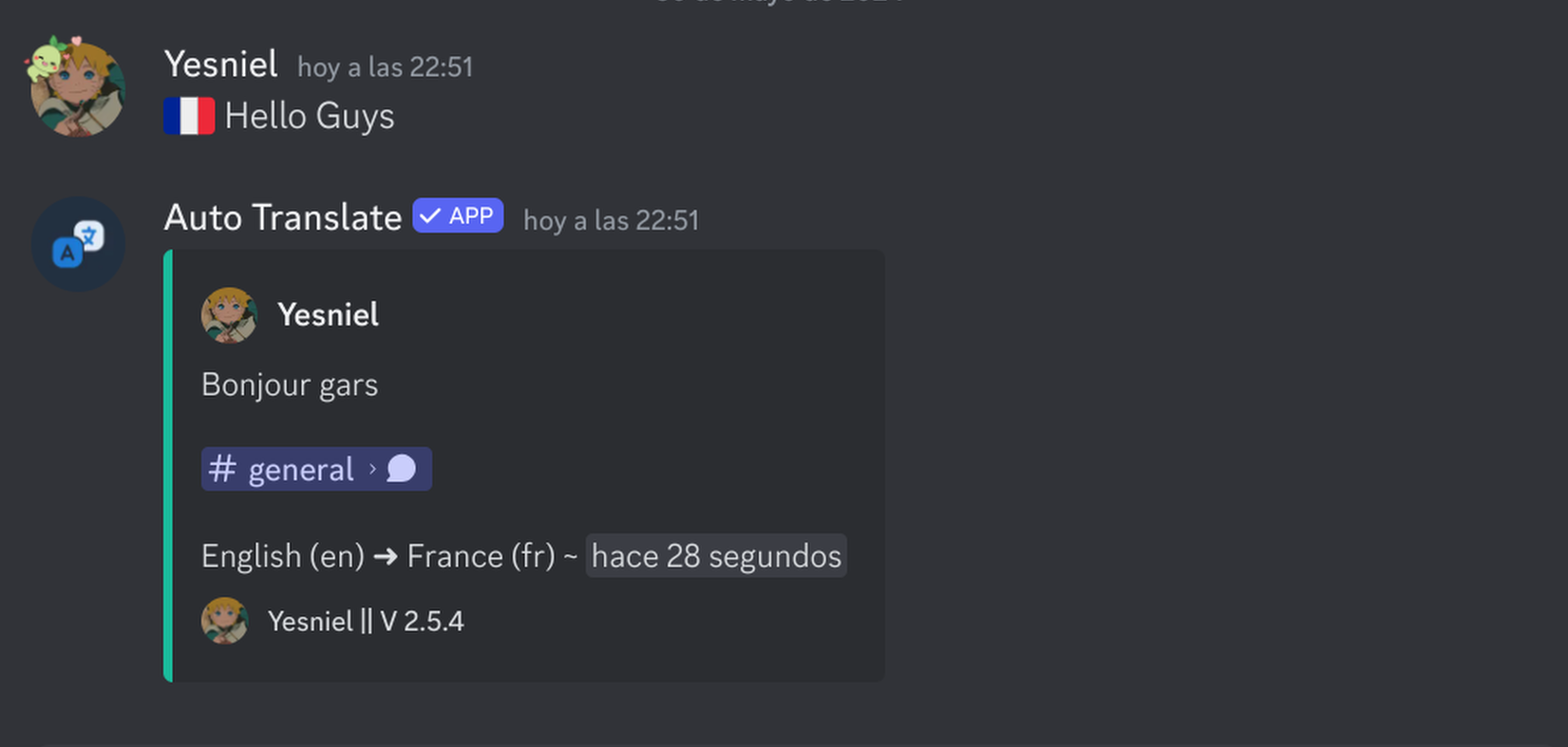
Video Guide: Flag Translation
Demo Live
🚀 Why Use This?
- Instant - No need to run commands or wait for reactions.
- Natural - Feels like a normal part of the conversation.
- Multi-tasking - You can include multiple flags to translate to multiple languages at once!
Hello world!
💡 Best Practices
- Clear Intent - Use the flag emoji that clearly represents the language you want to translate TO.
- Bot Permissions - The bot needs to be able to delete the original message and replace it (if configured) or just reply.
🔧 Troubleshooting
- Wrong language? Make sure you are using the correct national flag for the language.
- Bot ignored the message? Ensure flag translation is enabled on your server with
/server flags on.
Ready to try? Send a message with a flag emoji in any channel where the
bot is present!